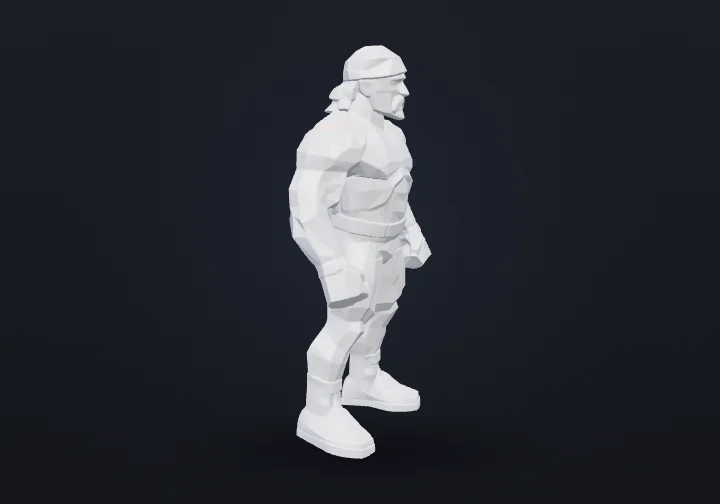
SnapSplit3D protects unreleased Patreon and MyMiniFactory sculpts by running unlocked local splitting, Smart Hollowing, and Local AI (Tiny mode) inside your browser at 0 KB server upload. Optional Cloud Boost (12–40 Tokens) runs only when explicitly clicked in transient memory with no AI training, no permanent archiving, and commercial exports on Pro and Lifetime Client plans.
Key Takeaways
- Local Tools Run On-Device at
0Tokens: Active plans unlock browser tools (STL,OBJ,FBX<= 150 MBdropzone handoff at0 KBupload) that execute locally on your machine. - Opt-In Transient Cloud Only When Clicked: Cloud AI (
12/20Tokens) and Cloud Geometry (30/40Tokens) discard data after completion, skip AI training, and auto-refund failed runs. - Commercial Rights Scope (Pro & Lifetime): Pro (
$49/yrEarly-Bird) and Lifetime Client ($79one-time,$0/morecurring) license physical prints of owned or licensed models, excluding demos. - Follow Studio Prep Order: Set Auto-Orient / Lay Flat on the uncut sculpt before placing cuts, and run Smart Hollowing before AI Part Segmentation splits lock hollowing.
How Does Local-First Browser Splitting Protect Unreleased STL Files?
Local-first splitting in SnapSplit3D executes mesh prep, cutting, and Local AI (Tiny) inside your browser's own memory, so unreleased master STL, OBJ, and FBX files stay on your machine with 0 KB sent to servers.
In SnapSplit3D, your plan tier determines which local tools unlock, and every unlocked local tool runs directly on your device without uploading your mesh:
- Supported Local Formats: Load
STL,OBJ, andFBXfiles directly into the studio (<= 150 MBrecommended dropzone limit; viewport performance scales automatically to your device RAM and GPU). - Local Tools Included at
0Cloud Tokens (Per Active Plan Tier): Your plan tier determines which local tools unlock, and every unlocked local tool runs on your device at0Cloud Tokens: - Free (
$0/mo): Plane Cut, Tapered Pegs, 20 Demo models,+50welcome Cloud Tokens on email verification, and visible watermark on exported STL/ZIP files (note Watertight Auto-Heal and Binary STL / ZIP export run locally across plans). - Starter (
$5/moor$39/yr): Unlocks local Freehand Cut, Snap Loop, 360° Loop Cut, Edit Cut, and Recessed Magnet Pockets watermark-free for personal, non-commercial use. - Pro & Lifetime Client: Unlocks 3D Grid Split, Smart Hollowing (Open Bottom + Cutaway), 3D Jigsaw Puzzle Split, AI Part Segmentation (Local
Tinymode + AI Pick Part), Snap-Fit Sockets, and Articulated Double Hinges (with watermark-free exports). - Zero-Upload Dropzone Handoff (
<= 150 MB): Dropping anSTL,OBJ, orFBXfile on the landing dropzone atsnapsplit3d.comhands the file locally intostudio.snapsplit3d.comusing browser memory and storage (5-minuteTTL, auto-deleted on first read) with0 KBtransmitted to servers.
As documented in our Privacy Policy, no model files or geometry data are uploaded during local workflows.
When Should Sculptors Use Optional Cloud Boost—and Is Data Retained?
Use optional Cloud Boost only when dense 1.5M+ triangle sculpts exceed browser memory or layered armor needs finer boundaries; payloads run over TLS in transient memory, discard on completion, and skip AI training or archiving.
| Processing Mode | Cloud Tokens | Where Geometry Runs |
|---|---|---|
| Local-First Tools | 0 Tokens | Inside your browser (0 KB uploaded) |
| Optional Cloud AI | 12 / 20 Tokens | Transient server memory on click; discarded |
| Optional Cloud Geometry | 30 / 40 Tokens | Transient server memory on click; auto-refunds errors |
Local tools unlocked in your active plan (Local AI Tiny mode + AI Pick Part, Smart Hollowing, 3D Grid Split, and 3D Jigsaw Puzzle Split) run on-device with 0 KB uploaded and local dropzone handoff (<= 150 MB, 5-minute TTL). Optional Cloud Small (12), Cloud Plus (20), Cloud Grid (30), and Cloud Hollow (40) run only when explicitly clicked over TLS in transient server memory, discard payloads upon completion with no AI training and no permanent archiving, and automatically refund tokens if a job fails.
Preparing Watermark-Free Pre-Split Kits for Commercial Distribution
Keeping master files private is step one; knowing your license boundaries before distributing kits or printed figures is step two. Here is how sculptors and 3D print farms align plan tiers with commercial prep:
- Understand Personal vs. Commercial Licensing Clearly:
- Free (
$0/mo): Personal evaluation only (Plane Cut,Tapered Pegs,20 Demo models,+50welcome Cloud Tokens on email verification, visible watermark on exported STL/ZIP files). - Starter (
$5/moor$39/yr): Personal, non-commercial use only (200monthly Cloud Tokens, watermark-free exports for personal prints). - Pro (
$9/mo,$69/yr, or Early-Bird$49/yr) & Lifetime Client ($79one-time,$0/morecurring fee): Pro includes1,500monthly Cloud Tokens (reset monthly, no rollover), while Lifetime Client includes0/moCloud Tokens with optional non-expiring Cloud top-ups extra. Both tiers grant watermark-free Binary STL / ZIP exports, Roadmap voting, and Commercial Print Rights strictly for physical prints of models you own or hold valid distribution/commercial rights for (excluding built-in showcase demo models). Review complete license boundaries in our Terms of Service and Licenses.
- Hollow and verify before keying: Run Smart Hollowing with Open Bottom & Cutaway inspection on large display torsos first (
1.5–3.0 mmtypical statue wall thickness) so interior cavities clear peg sockets without punching through thin armor plates or cuffs. - Separate paint-friendly subassemblies: Use Local AI (
Tinymode) or brushes (Separating Hair, Capes & Armor Guide) to isolate overhangs, keeping thin swords, ribbons, and fingers solid (>= 1.5 mmthick). Add Tapered Pegs or Magnets with practical0.12–0.20 mmstarting clearance for resin. - Orient before cutting and export labeled ZIP bundles: Run Auto-Orient / Lay Flat on your uncut sculpt before placing cuts (orientation locks once any cut exists—reset cuts if you need to re-orient), and verify closed outer edges with Watertight Auto-Heal. Export your numbered Binary STL ZIP archive (
head,cape,armor,torso), then place individual split pieces on their cut faces inside Chitubox, Lychee Slicer, or Bambu Studio—keeping optional engraved part labels in 3D Grid Split on hidden interior mating faces.
Inspect Policy Terms Before You Upload Anything
Good creator trust comes from verifiable rules rather than blanket slogans. Review exact browser vs. cloud data handling in our Privacy Policy, verify commercial printing scope in Terms and Licenses, browse Resin Statue workflows, or compare Pro Annual vs. Lifetime Client pricing.
Frequently Asked Questions
Does SnapSplit3D upload my STL when I use the landing dropzone?
No—dropping an STL, OBJ, or FBX model (<= 150 MB recommended limit) onto the snapsplit3d.com dropzone transfers your geometry locally into studio.snapsplit3d.com using browser memory and storage (5-minute TTL, deleted on single read) with 0 KB transmitted to SnapSplit3D servers.
Are Pro splitting tools and Cloud AI free on the $0 plan?
No—your active plan controls which local tools run at 0 Cloud Tokens. Free ($0/mo) includes Plane Cut, Tapered Pegs, 20 Demo models, local Watertight Auto-Heal, watermarked Binary STL/ZIP export, and +50 welcome tokens on email verification, while Pro and Lifetime Client unlock Grid, Hollowing, Jigsaw, and AI Segmentation.
Can I sell commercial 3D prints under Starter, Pro, or Lifetime Client?
Free ($0/mo) and Starter ($5/mo or $39/yr) are strictly for personal, non-commercial use. Pro ($9/mo, $69/yr, $49/yr Early-Bird) and Lifetime Client ($79 one-time) include Commercial Print Rights strictly for physical prints of models you own or hold valid distribution or commercial rights for, excluding built-in showcase demos.
Why did Auto-Orient and Smart Hollowing lock after I placed my first cut?
Studio locks model orientation once any cut exists (Reset cuts to re-orient model) and locks Smart Hollowing once AI Part Segmentation splits or cuts exist. Set Auto-Orient / Lay Flat and hollow your uncut master figure first, or export an AI-segmented torso STL to hollow on reload.
Test local-first splitting with zero upload: Try local Plane Cut and Tapered Pegs directly in SnapSplit3D Studio, or compare plan tiers on the Pricing page.
All third-party brand, slicer, and marketplace names and trademarks (including Patreon, MyMiniFactory, Etsy, ZBrush, Chitubox, Lychee Slicer, and Bambu Studio) belong to their respective owners and are used solely for workflow reference; SnapSplit3D is not affiliated with or endorsed by these companies.