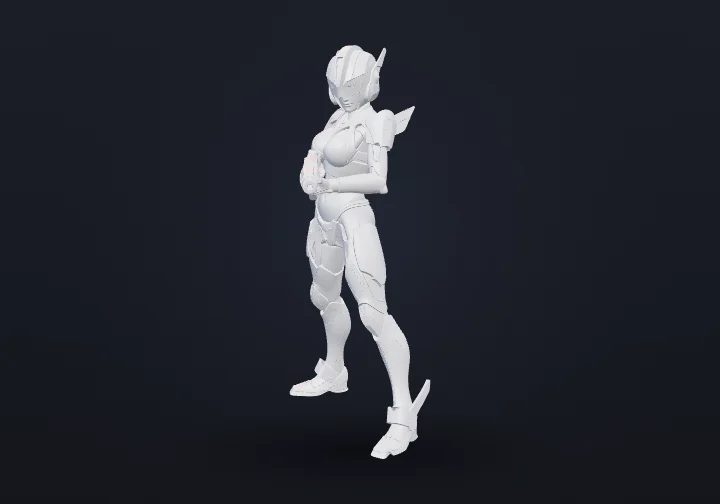
Replacing Autodesk Meshmixer in 2026, SnapSplit3D maps Plane Cut, Segment, Hollow, and automatic Peg workflows into one browser workspace—scaling across 350K mobile, 800K standard, and 2M high-end desktop display tiers, with optional Cloud acceleration for denser STL, OBJ, and FBX sculpts.
Key Takeaways
- Drop-in replacement for frozen 2018 tools: SnapSplit3D replaces manual Meshmixer booleans with auto-generated Peg, Magnets, Socket (segmented parts), and Hinge Joint tools right in your browser.
- Hardware-scaled local performance: SnapSplit3D runs Plane Cut, Repair mesh, and Simplify locally in browser RAM (
0tokens) across350K,800K, and2Mdisplay-triangle hardware tiers. - Hidden seams and interlocking joints: SnapSplit3D pairs Freehand, Snap Loop, 360° Loop, and Wave Lock 3D Puzzle (
4–36pieces) with0.20 mmdefault FDM clearance. - Clear personal vs. commercial licensing: SnapSplit3D Free (
$0 / forever) covers Plane Cut + Peg (watermarked); Pro ($9/mo,$49/yrEB,$69/yr) and Lifetime Client ($79) add Commercial Print Rights.
When Should You Use SnapSplit3D Instead of Meshmixer for Splitting STLs?
Switch from Autodesk Meshmixer to SnapSplit3D whenever dense 500K–1.8M+ triangle sculpts stall desktop booleans, or when you want automatic Peg and curved seam cuts without macOS Rosetta workarounds.
Autodesk stopped active development on Meshmixer back in 2018 (v3.5), leaving the codebase frozen without modern OS tuning, Apple Silicon native builds, or current GPU driver support. Three practical bottlenecks show up immediately on contemporary 3D print files:
- Viewport stalls and boolean freezes on dense sculpts: Modern collector statues and cosplay helmets routinely ship at
500,000to1,800,000+triangles. Running Plane Cut or Boolean Difference in a desktop pipeline frozen since 2018 frequently stalls for minutes or aborts mid-operation before you can save. - Fragile manual boolean pins: Adding alignment dowels in Meshmixer requires spawning primitive cylinders, duplicating them, scaling one larger by
0.20–0.30 mmfor fit tolerance, aligning normals by eye, and hoping two separate booleans close cleanly without leaving open mesh gaps. - Flat cuts across curved armor: Meshmixer's standard Plane Cut slices straight across the mesh. Hiding a joint around a shoulder pauldron or beneath a jawline demands tedious face-selection brushing and Separate passes that often leave jagged, unclosed boundaries.
How Does SnapSplit3D Go Beyond Flat Plane Cuts With Curved Seams and AI Segments?
Moving off Meshmixer replaces rigid flat slicing with seam-aware cosplay splitting workflows in SnapSplit3D, combining Plane Cut, recessed loop tools, Segment, and Wave Lock puzzles.
- Plane Cut with Clean Caps: Still the fastest choice for splitting a sword blade length-wise or dividing a flat pedestal base. Once the mesh is repaired, cut faces close solidly so slicers generate clean perimeters.
- Freehand, Snap Loop & 360° Loop: Instead of forcing a straight line across raised filigree or cloth folds, trace a recessed trim groove or wrap a loop around a wrist cuff or collar. The seam blends smoothly into the shadow groove after light sanding and primer, cutting Bondo and spot-putty time dramatically.
- Segment (
Auto Segment&Pick Part, Pro / Lifetime Client): Need to isolate a flowing cape, hair lock, or gauntlets for easier painting or support placement? Run Auto Segment in browser RAM using Tiny · Local (Web) (0tokens) or Pick Part, with optional Small · Cloud AI (12Tokens) and Plus · Cloud AI (20Tokens) when intricate overlapping details need tighter boundaries. - Wave Lock 3D Jigsaw (
3D Puzzle): For broad, thinner armor plates, shields, and display bases where drilled dowel pins poke through shallow walls, 3D Puzzle Split divides the shell into4–36interlocking pieces (4–14 mmTab Size,0.0–0.5 mmClearance, defaulting to0.20 mm).
How Do SnapSplit3D Pegs and Magnet Pockets Replace Manual Meshmixer Booleans?
Executing any cut in SnapSplit3D auto-places a matching seam Peg and unlocks the Connectors panel (open via Pin or K) plus the Quick Pin Rail, eliminating all manual cylinder duplication, tolerance scaling, and two-pass boolean subtraction.
| Workflow Step | Legacy Meshmixer (~12–14 Sub-Actions) | SnapSplit3D Workflow (5 Steps) |
|---|---|---|
| 1. Load & Repair | Import STL → Inspector → Auto Repair All | Drop STL/OBJ/FBX (150 MB hint) → run Watertight Repair if flagged |
| 2. Execute Cut | Edit → Plane Cut → Separate Shells | Run Plane Cut, loops, or 3D Puzzle (replaces cut connectors) |
| 3. Set Connector | Spawn cylinder → duplicate → scale +0.25 mm | Cut auto-places Peg & unlocks Connectors (Pin / K: Peg, Magnets); Hinge Joint (J) via rail, Socket on Segment cuts |
| 4. Fine-Tune Fit | Align cylinder → Boolean Union & Difference | Dial Clearance, move gizmo, Flip Side, or Manual Pin (D) |
| 5. Export Parts | Re-run Inspector → export shells separately | Click Export STL for Binary STL or multi-part ZIP |
Connector rules at a glance: Switch between Peg (Round / Square) with Clearance (0.20 mm FDM / 0.10–0.15 mm resin), Magnets (1–8 pockets, 5×2–10×3 mm presets or Custom Diameter/Height), Hinge Joint (J) on limbs (Pro / Lifetime Client), or Socket strictly on Segment part cuts (Pro / Lifetime Client).
How Do You Migrate Your Cosplay and Statue Workflow in 3 Minutes?
You can migrate a Meshmixer splitting workflow into SnapSplit3D in three steps—starting with free local cuts (Plane Cut, Repair mesh, Simplify) and unlocking Pro tools only if needed.
Step 1: Load Your Mesh Locally
Open SnapSplit3D Studio to inspect the 500K-triangle Classic Armor sample (demo=14), or drop your own STL, OBJ, or FBX file into the workspace. On 350K-tier mobile devices, ?demo=14 (500K tris) scales a smooth viewport preview while cutting keeps full geometry fidelity.
Plane Cut, Repair mesh, and Simplify run free locally (0 tokens). Segment (Tiny · Local (Web), 0 tokens) unlocks on Pro or Lifetime Client, scaling across 350K mobile, 800K standard desktop, and 2M high-end desktop display tiers, with optional Cloud acceleration for ultra-dense meshes.
Step 2: Check Watertight Status & Simplify If Needed
If a sculpt arrives from ZBrush or Blender with open surface edges or flipped normals, click Repair mesh in Model Setup (or Fix Mesh on the Studio repair banner if prompted) first. When prepping a 2M+-triangle statue on a mid-tier laptop, apply Simplify (50% / 25% / 10%) → Reduce Mesh after repairing so silhouettes stay sharp without slowing down your slicer.
Step 3: Pick Your Joint & Test a Quick Fit Slice
- Start FDM printers (
0.4 mmnozzle, PLA/PETG) at0.20 mmclearance; step up to0.25–0.30 mmif your first layer squishes outward. - Start MSLA resin printers at
0.10–0.15 mmclearance and hollow large statues first with Open Bottom drainage and Cutaway checks before adding keys. - Use two Round Pegs or one Square Peg on flat faces to stop twist during glue-up, or embed Magnets for removable visors.
Plan Scope & Commercial Print Rights
- Free (
$0 / forever,+50welcome Cloud Tokens on email verify): Includes Plane Cut and Tapered Pegs only, with a visibleSnapSplit3D markon exported STLs for personal use (Cloud Token runs require Pro or Lifetime Client tool access in Studio). - Starter (
$5/moor$39/yr,200tokens/mo): Adds Freehand, Snap Loop, 360° Loop, Edit, Magnets, and watermark-free exports—strictly for personal use. - Pro (
$9/mo,$69/yr, or$49/yrEarly-Bird;1,500tokens/mo) & Lifetime Client ($79one-time,$0/moongoing subscription for local Pro tools; optional Cloud top-ups extra): Unlock 3D Grid Split, 3D Puzzle, Hollow, AI Segment, Hinge Joint, and Socket. - Commercial Print Rights: Both Pro and Lifetime Client let you sell physical 3D prints of models you own or hold valid distribution rights for (excluding showcase demos). Compare plans on SnapSplit3D Pricing or read our splitting large STLs pillar guide.
Frequently Asked Questions
Why does Meshmixer stall on large STL files that run smoothly in SnapSplit3D?
Autodesk Meshmixer last received updates in 2018 (v3.5) and relies on an aging desktop boolean pipeline that frequently stalls above 500K–800K triangles. SnapSplit3D adapts smooth viewport previews across 350K mobile, 800K desktop, and 2M high-end GPU tiers locally, with optional Cloud Geometry (30–40 tokens) for ultra-dense meshes.
Can I add magnet pockets or hinges in SnapSplit3D without manual booleans?
Yes. Executing a cut in SnapSplit3D auto-places a Peg and unlocks the Connectors panel (open via Pin or K) plus the Quick Pin Rail, where you can switch to Magnets (1–8 pockets, 5×2–10×3 mm presets or Custom Diameter/Height) on Starter/Pro/Lifetime, or add a Hinge Joint (J) (1.75 mm filament pin) on Pro or Lifetime Client.
Which SnapSplit3D plan replaces Meshmixer for Etsy or commission print shops?
Free ($0 / forever) and Starter ($5/mo or $39/yr) are restricted to personal, non-commercial printing. Print shops and prop sellers need Pro ($9/mo, $69/yr, or $49/yr Early-Bird) or $79 Lifetime Client, which include watermark-free exports and Commercial Print Rights for physical prints of owned or validly licensed models (excluding demos).
All third-party product names (including Autodesk Meshmixer, ZBrush, and Blender) are trademarks of their respective owners and are used strictly for workflow comparison. SnapSplit3D is an independent tool and is not affiliated with or endorsed by Autodesk.