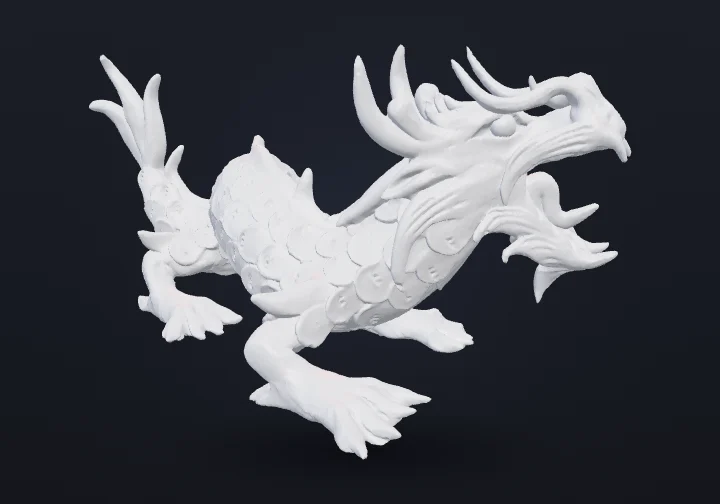
If you want build-plate grid splitting and interlocking jigsaw joints without desktop licensing friction, SnapSplit3D runs Grid Split, Smart Split, engraved P01 tags, and Wave Lock 3D Puzzle cuts directly in your browser. Test Plane Cut and Peg free locally ($0 / forever), or unlock Grid Split and 3D Puzzle on Pro ($9/mo, $49/yr EB, $69/yr) or $79 Lifetime Client.
Key Takeaways
- Browser-based Grid Split with Smart Split: SnapSplit3D divides oversized
STL,OBJ, andFBXfiles to your exact build plate (180×180×180 mmto custom cages) and exports watertight ZIP blocks. - Wave Lock 3D Jigsaw (
4–36pieces): For thin cosplay armor plates and shields, SnapSplit3D adjustsTab Size(4–14 mm) andClearance(0.0–0.5 mm,0.20 mmFDM default) to lock seams cleanly. - Adaptive local-first caps plus optional Cloud Grid: SnapSplit3D runs local grids up to
48pieces on high-end desktops (24mid-tier,16mobile) for0tokens, with optional Cloud Grid (30tokens). - Transparent
$79Lifetime local option: Unlike ongoing desktop-locked pricing, SnapSplit3D Lifetime Client ($79one-time) gives$0/mosubscription access to local Pro tools and Commercial Print Rights on owned/licensed models.
When Should Makers Choose SnapSplit3D Over LuBan 3D?
(Quick clarification for Snapmaker owners: this guide compares LuBan 3D by Lujie Chen, not the free Snapmaker Luban machine controller.)
Choose SnapSplit3D over LuBan 3D when you primarily split STL, OBJ, and FBX models for FDM or MSLA beds, want zero desktop installation across machines, or prefer curved armor seams and $79 one-time local Pro access.
LuBan 3D remains a strong specialist desktop tool for multi-meter sculptures, laser-cut ribbing, or CNC foam toolpaths. Makers commonly switch to a browser workflow for three practical reasons:
- Lower entry cost for small shops and hobbyists: LuBan 3D relies on temporary time-limited licenses or a substantially higher permanent desktop/USB license fee (verify current LuBan 3D pricing directly on the vendor's website). For a cosplayer splitting a few helmets a year or a growing print shop, paying hundreds of dollars upfront can be tough to justify.
- Zero desktop install across machines: Installing, updating, and moving node-locked desktop software between a workshop PC and a home laptop adds friction when you just need to slice an oversized dragon to fit your bed.
- Need for curved armor seams and AI part isolation: Rectangular grids work well for giant multi-part statues, while smaller helmets, capes, and statues look far cleaner when split along recessed armor grooves or isolated by part rather than diced into straight blocks.
How Do SnapSplit3D Grid Split and Wave Lock 3D Puzzle Compare?
In SnapSplit3D, use 3D Grid Split when a bulky dragon or terrain tower exceeds your build volume on X/Y/Z, and switch to 3D Puzzle Split when flat shells need locking seams.
3D Grid Splitting & Engraved Part Labels
- Auto-Fit & Smart Split: Use Auto-Fit to divide evenly across X, Y, and Z for your printer dimensions (
180×180×180 mm,250×210×220 mm,256×256×256 mm, or custom cages), or run Smart Split to shift cut planes into low-detail valleys and rotate the cage before committing cuts. - Engrave Assembly Tags (
P01or Off): Enable subtle engraved piece tags on hidden interior mating faces so blocks pulled off multiple plates—or out of an IPA wash—assemble in exact order. - Clean Multi-Part ZIP Export: Clicking Export STL packages every capped, watertight block into one ZIP archive ready for slicing.
- Local-First Caps + Optional Cloud Grid: Grid planning and splitting run locally in browser RAM (
0tokens) within adaptive hardware limits (48max safe grid pieces on high-end desktops,24on mid-tier systems,16on low-RAM devices). For dense multi-million-triangle jobs, you can optionally invoke Cloud Server (30Tokens) via the Large 3D Grid Split Guard prompt—with automatic token refund if a cloud job fails.
Wave Lock 3D Jigsaw vs. Standard Interlocking Blocks
- Wave Lock & Classic Jigsaw (
4–36pieces): Pick flowing Wave Lock curves or Classic Jigsaw tabs across a two-axis planar matrix. - Adjustable Clearance (
0.0–0.5 mm) & Tab Size (4–14 mm): Start at the0.20 mmdefault clearance for calibrated FDM printers, or tighten to0.10–0.15 mmfor crisp MSLA resin joints. Larger tabs give printed cosplay armor plates strong mechanical engagement before CA glue or two-part epoxy even touches the seam. - Flatter Surface Alignment: Because interlocking tabs register neighboring plates across both X and Y, surface steps shrink—saving putty and wet-sanding work after printing.
Pricing Breakdown: Free / $49–$69/yr Pro / $79 Lifetime vs. Desktop Licenses
SnapSplit3D pairs a $0 / forever entry tier with $5/mo Starter (personal) and $49–$69/yr Pro or $79 Lifetime Client (commercial), avoiding heavy upfront desktop-only fees (verify current LuBan 3D rates directly with the vendor).
| Capability / Plan Metric | LuBan 3D (Desktop) | SnapSplit3D (Browser Studio) |
|---|---|---|
| Platform & Install | Windows / macOS desktop install | Modern browsers (STL, OBJ, FBX, 150 MB hint) |
| Grid & Puzzle Tools | Multi-meter grid, puzzle, dowel modules | Grid Split (P01 tags), Wave Lock / Classic Jigsaw (4–36 pcs) |
| Curved Seam & Resin | Geometric slices & shelling | Freehand, Snap Loop, 360°, Segment, Hollow + Cutaway |
| Entry & Personal | Vendor trial + paid temporary tiers | Free ($0 / forever) Plane + Peg; Starter ($5/mo) personal |
| Pro & Lifetime | Annual or permanent desktop/USB (check site) | Pro ($9/mo, $49 EB, $69/yr) or $79 Lifetime Client |
Note two important details on SnapSplit3D Pricing:
- $79 Lifetime Client gives you permanent access to all local Pro tools with a
$0/moongoing subscription; if you want optional server runs for dense meshes (Cloud Grid30tokens or Cloud Hollow40tokens), prepaid non-expiring Top-up Token packs ($5/500,$15/2,000,$39/6,000) are purchased separately on demand. - Commercial Print Rights—to manufacture and sell physical 3D prints derived from models you own or hold valid distribution rights for (excluding showcase demos)—are included on Pro and Lifetime Client, whereas Free and Starter remain strictly personal use.
Frequently Asked Questions
How many grid pieces can SnapSplit3D split locally in my browser?
SnapSplit3D adapts safe local Grid Split limits to your computer's hardware tier: up to 48 grid pieces on high-end desktops, 24 on mid-tier systems, and 16 on mobile or low-RAM devices (0 tokens). Dense multi-million-triangle jobs can optionally invoke Cloud Server (30 tokens) via Large 3D Grid Split Guard.
Does the $79 Lifetime Client plan include Cloud Grid and Cloud Hollow runs?
Lifetime Client ($79 one-time) grants ongoing $0/mo subscription access to all local Pro tools—including Grid Split, 3D Puzzle, Hollow, Segment (Tiny · Local (Web)), and Commercial Print Rights on owned or validly licensed physical prints (excluding demos). Optional server runs (Cloud Grid 30, Cloud Hollow 40, Cloud AI 12–20) use separate prepaid non-expiring Top-up Token packs.
When should I use Wave Lock 3D Puzzle instead of Grid Split?
Use Grid Split with optional engraved P01 tags on tall multi-axis statues, dragons, and tabletop buildings where thick block interiors stack solidly. Choose 3D Puzzle (Wave Lock or Classic Jigsaw, 4–36 pieces) on wide shields, chestplates, or flat bases where interlocking 4–14 mm tabs prevent flexing along thin edges.
Test Grid Split right now on the 250K-triangle Stanford Dragon (demo=10) inside SnapSplit3D Studio, or compare all cut modes in our pillar guide to splitting large STLs.
All third-party product names (including LuBan 3D and Snapmaker Luban) are trademarks of their respective owners and are used strictly for feature and workflow comparison. SnapSplit3D is not affiliated with or endorsed by LuBan 3D.