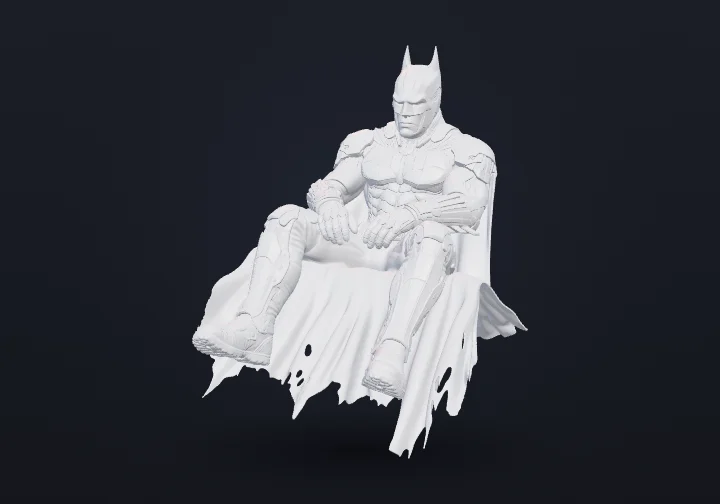
SnapSplit3D helps Etsy 3D print shops and multi-printer farms turn unsplit STL, OBJ, and FBX files up to 150 MB into labeled, watermark-free Binary STL ZIP kits in minutes. Pair local Watertight Auto-Heal, uncut Auto-Orient, and 3D Grid Split with Pro ($49/yr EB) or Lifetime Client ($79 one-time) commercial physical print rights.
Key Takeaways
- Illustrative Bench ROI: Trimming
30–60 minof manual prep per SKU recovers roughly$7.50–$25.00in estimated operator labor (@$15–$25/hr) without buying extra printers. - Shop Floor Organization: Export semantic Binary STL ZIPs with optional engraved labels (
R1-C2-Z1orP01) across up to48grid pieces on2Mdesktop RAM tiers. - Clear Commercial Scope: Pro and Lifetime Client (
$79one-time,$0/morecurring) cover physical prints of owned or licensed models (excluding demos); digital STL resale remains prohibited. - Transparent Checkout & Cloud: Polar (USD MoR) and SePay VietQR (VND 24/7 webhook) support 14-day
< 25%token refunds; Cloud AI (12 / 20) stays separate from Cloud Grid / Hollow (30 / 40).
How Much Operator Prep Time Can Print Shops Save Per Multi-Part Kit?
Manual desktop prep often burns 30–60 minutes per SKU on hole repair, boolean pegs, and file renaming—an illustrative $7.50–$25.00 in bench labor at $15–$25/hr before the first print job starts. (All prep time and labor savings figures below are illustrative shop workflow estimates, not guarantees; real timings depend on mesh density.)
| Prep Stage | Manual Desktop (Illustrative) | SnapSplit3D (Illustrative) |
|---|---|---|
| 1. Inspect & Heal | 10–15 min hunting holes manually | Seconds via local Watertight Auto-Heal (0 tokens) |
| 2. Simplify & Orient | 10–15 min decimating and aligning axes | Mesh Simplify + Auto-Orient / Lay Flat (uncut) |
| 3. Split & Add Keys | 15–30 min manual booleans and numbering | Minutes via 3D Grid Split, Plane Cut & Pegs |
| 4. Export & Stage | 5–10 min renaming single STL exports | Single ZIP archive; lay cut faces flat in slicer |
| Est. Cost / SKU | 30–60 min ($7.50–$25.00) | Minutes per SKU |
Prepping four to eight multi-part kits per month offsets an annual Pro plan ($9/mo, $69/yr, or $49/yr Early-Bird while slots remain) or pays back the $79 one-time Lifetime Client license quickly.
Batch Naming, Engraved Grid Part IDs & Watermark-Free STL ZIP Exports
Semantic Binary STL ZIP exports and optional interior grid labels keep multi-plate print queues organized and reduce customer assembly confusion. Once production scales across multiple machines, SnapSplit3D builds three shop-floor safeguards into every kit:
- Multi-Part ZIP Archives With Semantic Filenames: Instead of exporting 14 separate files one by one, SnapSplit3D bundles split pieces into a single ZIP archive of Binary STLs ready for Bambu Studio, PrusaSlicer, Cura, or Chitubox plates.
- Optional Engraved Grid Part IDs (
R1-C2-Z1orP01): High-count builds—up to48grid pieces on high-end2Mdesktop RAM tiers (24mid-tier,16mobile), or up to36pieces in 3D Jigsaw Puzzle Split—let you toggle engraved labels onto hidden interior faces so packers and DIY Etsy buyers match parts quickly. - Watermark-Free Output Tiers: Free accounts carry a visible mark on exported STLs for personal testing. Starter (
$5/mo,$39/yr) removes the visible watermark strictly for personal projects only, while Pro and Lifetime Client unlock watermark-free Binary STL and ZIP exports backed by commercial physical print rights.
(All third-party marketplace, printer, and slicer names are trademarks of their respective owners; SnapSplit3D is not affiliated with or endorsed by them.)
For modular terrain clearances, see our guide on splitting tabletop terrain with 0.25–0.35 mm slip-fit pins, or explore the 3D Grid Split feature page.
Should Etsy Print Shops Use Starter, Pro, or Lifetime Client?
Print shops selling physical merchandise must choose Pro ($9/mo or $49–$69/yr) or Lifetime Client ($79 one-time, $0/mo recurring), because Starter covers personal projects only. Here is how licensing, billing, and privacy break down for commercial shops:
- Commercial Physical Print Rights (
Pro&Lifetime Client): Both Pro (1,500monthly Cloud Tokens) and Lifetime Client ($79one-time,$0/morecurring subscription for all local Pro tools) grant a commercial tool license to sell physical 3D prints derived strictly from models you own or hold valid distribution/commercial rights for (excluding built-in showcase demo models). - Digital Source Resale Prohibited: Commercial rights apply strictly to physical printed output; digital reselling, sharing, or redistribution of split STL source files remains prohibited, and sellers must hold valid underlying merchant rights from the original creator (Terms of Service).
- Global & Vietnam Checkout (
Polar&SePay VietQR): International USD orders process via Polar (Merchant of Record handling VAT/sales tax and receipts), while Vietnam VND bank transfers via SePay VietQR activate automatically 24/7 via webhook once your transfer clears. - 14-Day Fair-Use Refund Policy: Initial plan purchases and Cloud Token top-up packs qualify within 14 calendar days when
< 25%of granted Cloud Tokens have been consumed. Approved refunds settle within3–5business days for both Polar (USD) and SePay VietQR (VND)—see Refund Policy and Pricing. - Local-First Client Privacy: Everyday Watertight Auto-Heal, Mesh Simplify (
50% / 25% / 10%), Plane Cut / Freehand Curtain / Snap Loop, and local 3D Grid Split run in your browser (0tokens), keeping NDA commissions and merchant-tier sculpts on your shop workstation. - Cloud AI (
12 / 20) vs. Cloud Geometry (30 / 40): Cloud AI Small (12) and Cloud AI Plus (20) handle finer AI part segmentation separately from Cloud Grid (30) and Cloud Hollow (40), which process dense-mesh geometry exceeding local browser memory (350K–2Mviewport tiers). Failed cloud runs automatically refund tokens, and non-expiring Top-Up packs (500/$5,2,000/$15,6,000/$39) are optional extras for Lifetime Client or peak seasons.
Standardizing Your Shop's Pre-Slicing Pipeline
Give every operator the same uncut-first four-step checklist, since orientation and simplify tools lock as soon as cuts exist:
- Heal First, Then Simplify: Load the
STL,OBJ, orFBXand run Watertight Auto-Heal (Fix Mesh/Repair mesh) before simplifying (50% / 25% / 10%+Reduce Mesh) so tolerances stay accurate (see our open-edge repair tutorial and complete pre-slicing checklist). - Orient the Uncut Base: Run Auto-Orient (
Auto Orient (O)), Lay Flat, or Tumble 90° (X/Y/Zrotation) on the uncut model before placing any cuts. - Grid Split or Keyed Cuts: Set your fleet's build cage (
180 mm/256 mm/218 mm), enable optional engraved interior labels (P01orR1-C2-Z1), and place Tapered Pegs (0.20–0.35 mm) or Magnet Pockets on Plane Cut / Freehand Curtain / Snap Loop splits. - Export ZIP & Stage in Slicer: Download the watermark-free Binary STL ZIP, then flip individual split pieces flat onto their cut faces inside your slicer before printing.
Frequently Asked Questions
Does the Starter plan allow commercial Etsy sales of printed parts?
No—Starter ($5/mo, $39/yr) removes visible watermarks strictly for personal, non-commercial printing. To manufacture and sell physical 3D prints legally under SnapSplit3D's commercial tool license, upgrade to Pro ($9/mo, $69/yr, Early-Bird $49/yr) or Lifetime Client ($79 one-time, $0/mo recurring for local Pro tools).
Can I resell or share the split STL files from SnapSplit3D digitally?
No—commercial licensing on Pro and Lifetime Client covers manufacturing and selling physical 3D prints derived from models you own or hold valid merchant distribution rights for (excluding built-in showcase demo models). Digital reselling, sharing, or redistribution of split STL source files remains prohibited under our Terms of Service.
How fast do SePay VietQR and Polar payments activate, and how do refunds work?
International USD orders via Polar (Merchant of Record) and Vietnam VND transfers via SePay VietQR activate automatically 24/7 via webhook once payment clears. Initial orders qualify for a 14-day refund if < 25% of granted Cloud Tokens are consumed; approved refunds settle within 3–5 business days for both Polar and SePay VietQR (Refund Policy).
What is the difference between Cloud AI tokens (12/20) and Cloud Geometry tokens (30/40)?
Cloud AI Small (12 tokens) and Cloud AI Plus (20 tokens) power optional finer AI part segmentation when separating complex hair, capes, or accessories. Cloud Grid (30 tokens) and Cloud Hollow (40 tokens) handle heavy geometry splitting and hollowing on dense models that exceed local browser RAM tiers.
Want to benchmark your shop's prep speed right now? Explore our Print Farms & Etsy Studios workflow, or open the Nefertiti Bust demo in SnapSplit3D Studio to explore 3D Grid Split in seconds.